Modern Maintenance Software Built for Efficiency, Intelligence & Uptime
Run maintenance, asset management, safety, and inventory in one connected platform. Built to help teams work smarter, prevent downtime, and make faster decisions.


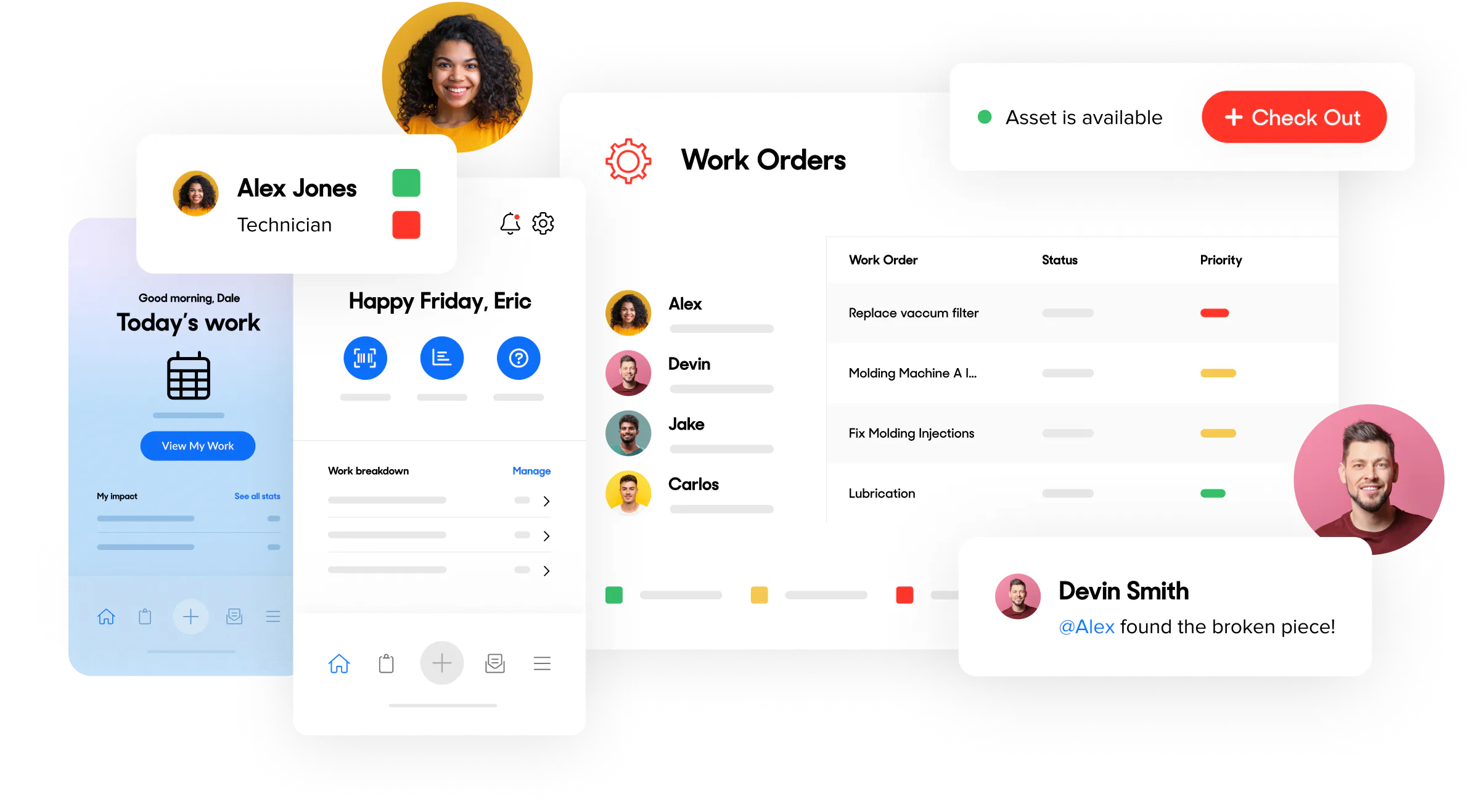
Streamline your work order management
Create, assign, and track every work order in one place. UpKeep’s intuitive, mobile-first platform helps teams work more efficiently, reduce manual tasks, and keep maintenance moving.


Assign and prioritize work orders instantly
UpKeep makes it easy to create, assign, and organize both reactive and preventive work. View work orders by list, calendar, asset, or location, and filter by technician, priority, and status to keep everyone aligned and on track.
Spot bottlenecks and improve work execution
Analyze work order data to understand where time, cost, or delays are occurring. UpKeep helps you identify trends, uncover inefficiencies, and make informed adjustments to improve throughput and reduce downtime.
Identify maintenance needs before they become problems
Track requests, work history, and asset performance across your operation. UpKeep gives teams visibility into what needs attention, helping you stay proactive, plan work earlier, and improve overall maintenance efficiency.
Reduce downtime with connected asset management
UpKeep centralizes all your asset data—history, performance, documentation, and costs—so teams can troubleshoot faster and make informed repair-or-replace decisions. Automate preventive maintenance, track key metrics, and get real-time visibility from any device.


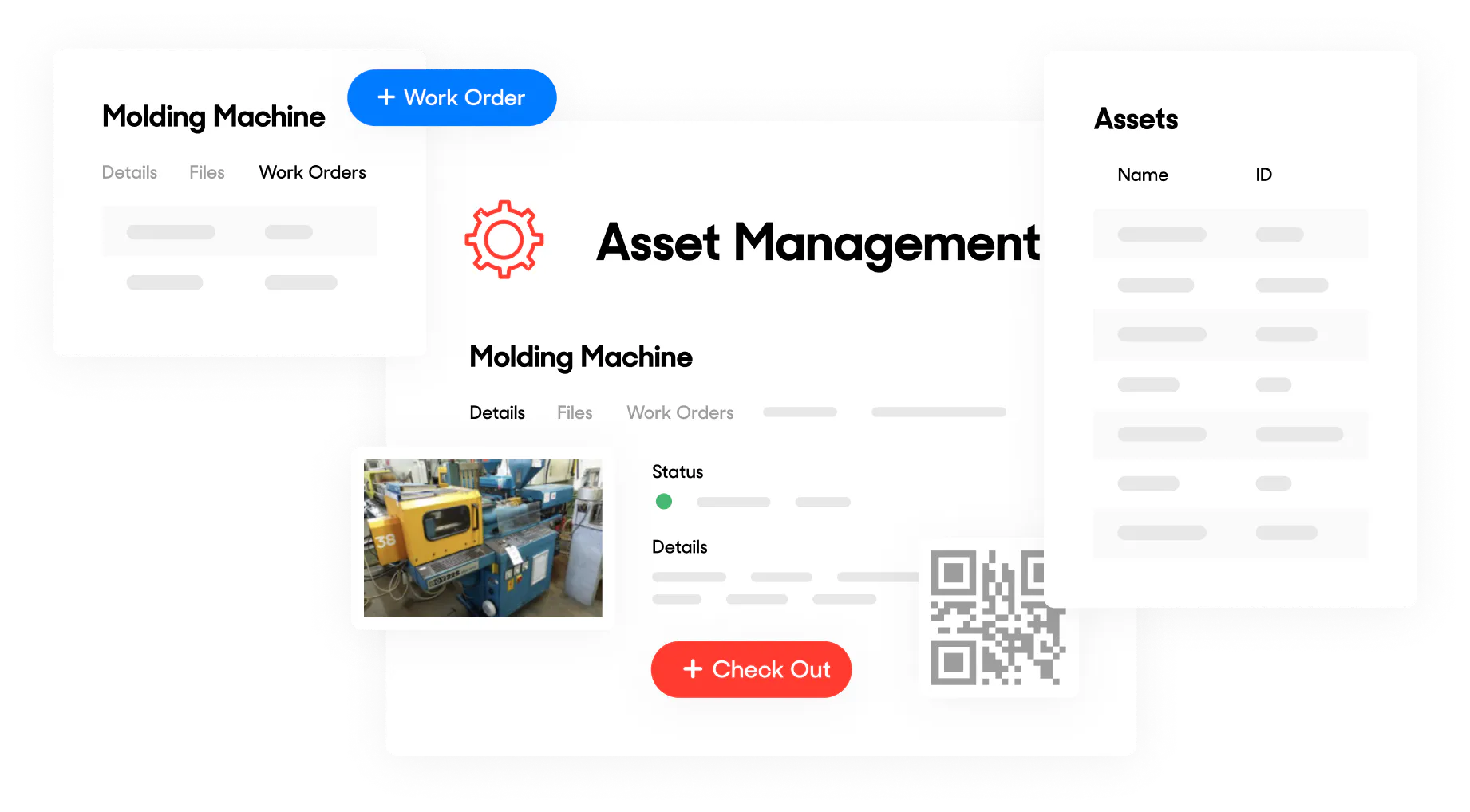
Access complete asset information from anywhere
Technicians and managers can quickly view asset details, history, manuals, warranties, and cost data from mobile or desktop. With everything in one place, teams can troubleshoot faster and make confident repair-or-replace decisions.
Streamline collaboration across teams and requesters
Turn any maintenance request into a work order and assign it instantly to the right technician. Create a request portal for your organization, keep requesters updated in real time, and ensure clear communication between technicians, managers, and teams.
Improve equipment reliability and reduce costly failures
UpKeep supports proactive maintenance by helping teams schedule PMs, track performance trends, and address issues earlier. Organizations that prioritize preventive maintenance often see significant reductions in downtime and avoidable repair costs.
Stay ahead of stockouts with connected inventory management
UpKeep makes it easy to track parts, control inventory levels, and keep maintenance running smoothly. Get visibility into parts usage, costs, and locations across your organization all from a mobile, connected platform that supports accurate planning and faster work execution.


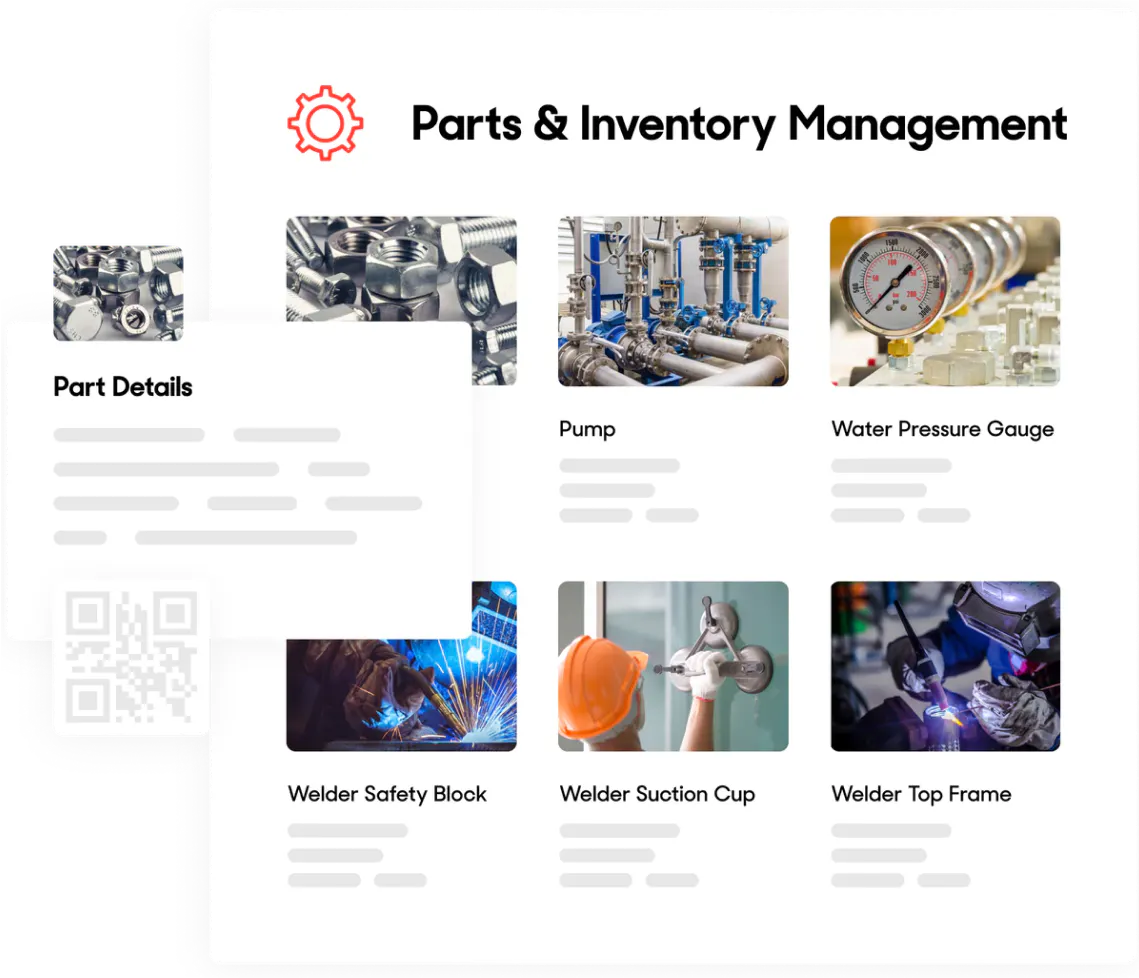
Access accurate part information from anywhere
Create barcodes for any part, standardize part details, and give technicians instant access to quantities, manuals, and specifications, whether they’re on the floor or in the field.
Stay ahead of low stock with automated alerts
Set minimum quantity thresholds and receive notifications when parts run low. Reorder in advance to avoid delays and keep maintenance tasks moving without interruption.
Keep inventory accurate with real-time usage tracking
Inventory counts update automatically as parts are used on work orders, giving you real-time visibility into what you have, where it is, and how fast it’s being consumed without manual tracking.
Should have used sooner
Great Product. Great Service. Great Price.
Easy to Set Up and Use
3000+ Companies using assets ops management
Industry-Leading Validation
UpKeep Named a Leader in IDC MarketScape for CMMS
UpKeep Rated #1 Leader in Multiple Fall 2021 G2 Categories
UpKeep Named in the Capterra Shortlist Report for CMMS Software
The inside look
See for yourself.
Maintenance shouldn’t mean guesswork and paperwork. UpKeep makes is simple to see where everything stands, all in one place. That means less guesswork and more time to focus on what matters.
How can I get support for my free account?
Need help? Visit our support center, email us at info@onupkeep, send us a live chat message or call us at (323) 880-0280! You can also watch video tutorials on UpKeep, search our Asset Operations Resource Hub or take any of our
Do I have to put a credit card down for a free account?
No credit card or payment is required for a free account.
Where can I see pricing for additional UpKeep features?
If you’re interested in learning about additional features and associated pricing, visit our pricing page here: https://www.upkeep.com/pricing.
Can I transfer my old CMMS data into UpKeep?
Transferring data is straightforward in UpKeep. For step-by-step instructions, view How to Import your Data.
Does my free account expire?
No, the UpKeep account will never expire.
Can I get a demo or free trials before signing up for free?
Of course! There are several ways to learn about UpKeep. Schedule a demo, get started with a free trial today!
4,000+ Companies rely on asset operations management
Leading the Way to a Better Future for Maintenance and Reliability